AI-era development
The Shopify AI Toolkit: Shopify in Cursor, Claude Code, and VS Code
Shopify's AI Toolkit (GA June 2026) plugs Shopify's docs, schemas, and CLI into Cursor, Claude Code, and VS Code. What it is and how to use it well.

Bas Lefeber
Founder, learnshopify.dev · June 19, 2026 · 6 min read
If you have ever watched an AI assistant confidently write Shopify code that does not exist, you already understand the problem the Shopify AI Toolkit is built to solve. The model knows English, knows the shape of a templating language, and will happily invent a filter called titleize because it sounds plausible. It is not lying. It simply does not have Shopify's real data structures in front of it.
The AI Toolkit, announced in the Spring '26 Edition for developers and now generally available, closes that gap. It is one plugin that gives your editor direct access to Shopify's reference docs, API schemas, code validation, live store data, and the Shopify CLI, without leaving the editor. This post covers what it actually is, how it changes the day-to-day of building on Shopify, and the part nobody on a launch blog wants to say out loud: what the AI still gets wrong, and why that makes your judgment more valuable, not less.
TL;DR
The Shopify AI Toolkit is an open-source plugin (MIT-licensed) that bundles a set of Shopify skills plus the Shopify CLI and connects them to AI editors: Cursor, Claude Code, Codex, VS Code, and more. The skills teach the agent how to build for Shopify; the CLI executes the commands. It auto-fills the right data structures, validates Liquid and GraphQL as you write, and is designed to be token-efficient. It does not replace knowing the platform. It makes a developer who already knows the platform much faster.
What the AI Toolkit actually is
Strip away the launch language and the toolkit is two things working together. First, a set of agent skills: focused instruction files that tell a general-purpose model how to interact with a specific part of Shopify (themes and Liquid, the Admin GraphQL API, Functions, Hydrogen, app extensions, custom data, and so on), each shipping with scripts for documentation search and code validation. Second, the Shopify CLI, bundled in so the agent can actually run the commands the skills describe. As Shopify puts it: the skills help agents understand how to build, and the CLI then executes the appropriate commands.
Underneath, this is the same family of capability that powered the Shopify Dev MCP server (Model Context Protocol: the open standard for giving an AI tool structured access to external systems). The Toolkit packages that access as a one-command plugin and adds the skills layer and the CLI on top. The result is that your editor stops guessing about Shopify and starts looking it up.
How it changes the day-to-day
The practical difference is that the feedback loop moves inside the editor. Before, the loop was: prompt the model, get plausible code, paste it, push to a dev theme or run the app, watch it break, copy the error back into chat, repeat. The Toolkit collapses that. The agent can search the real docs before it writes, validate the Liquid or GraphQL it produced, and run CLI commands against a store, all in one place.
- Correct data structures, first try. Ask for a section that renders product metafields and the agent pulls the actual object model instead of hallucinating a property name.
- Errors caught as you write. The validation skills check generated Liquid and GraphQL against Shopify's schemas, so a fake filter or a malformed query surfaces before you push, not after.
- CLI work without context-switching. Scaffolding an app, generating a route, running an existing query: the agent drives the CLI from inside the editor.
- Token efficiency. The bundle is built to be economical with context, which matters when you are paying per token for a long session.
It works across editors, and the practical split that has emerged is to lean on Claude Code for scaffolding and initial builds (route generation, query writing, extension creation) and on Cursor for iteration and refinement (component edits, style changes, debugging). Both speak to the same toolkit; pick the surface that fits the task.
Installing it (and where to get the exact commands)
The toolkit offers three installation paths: the plugin (recommended, auto-updating), the skills installed manually and selectively, and the local Dev MCP server for teams already standardised on MCP. The plugin is one command in Claude Code and a marketplace install in Cursor. Codex, Gemini CLI, and VS Code each have their own entry point.
# In Claude Code, add the marketplace and install the plugin.# Shopify lists the canonical command on the AI Toolkit docs page;# verify it there before running, the exact string can change./plugin marketplace add Shopify/shopify-ai-toolkit/plugin install shopify-plugin@shopify-ai-toolkitConfirm the command before you run it
Shopify's own surfaces have shown the install command in more than one form during launch. Treat the snippet above as illustrative and use the canonical version on the official AI Toolkit docs (and the Shopify/shopify-ai-toolkit repo) as the source of truth. You will need Node.js 18 or higher.
What the AI still gets wrong about Shopify
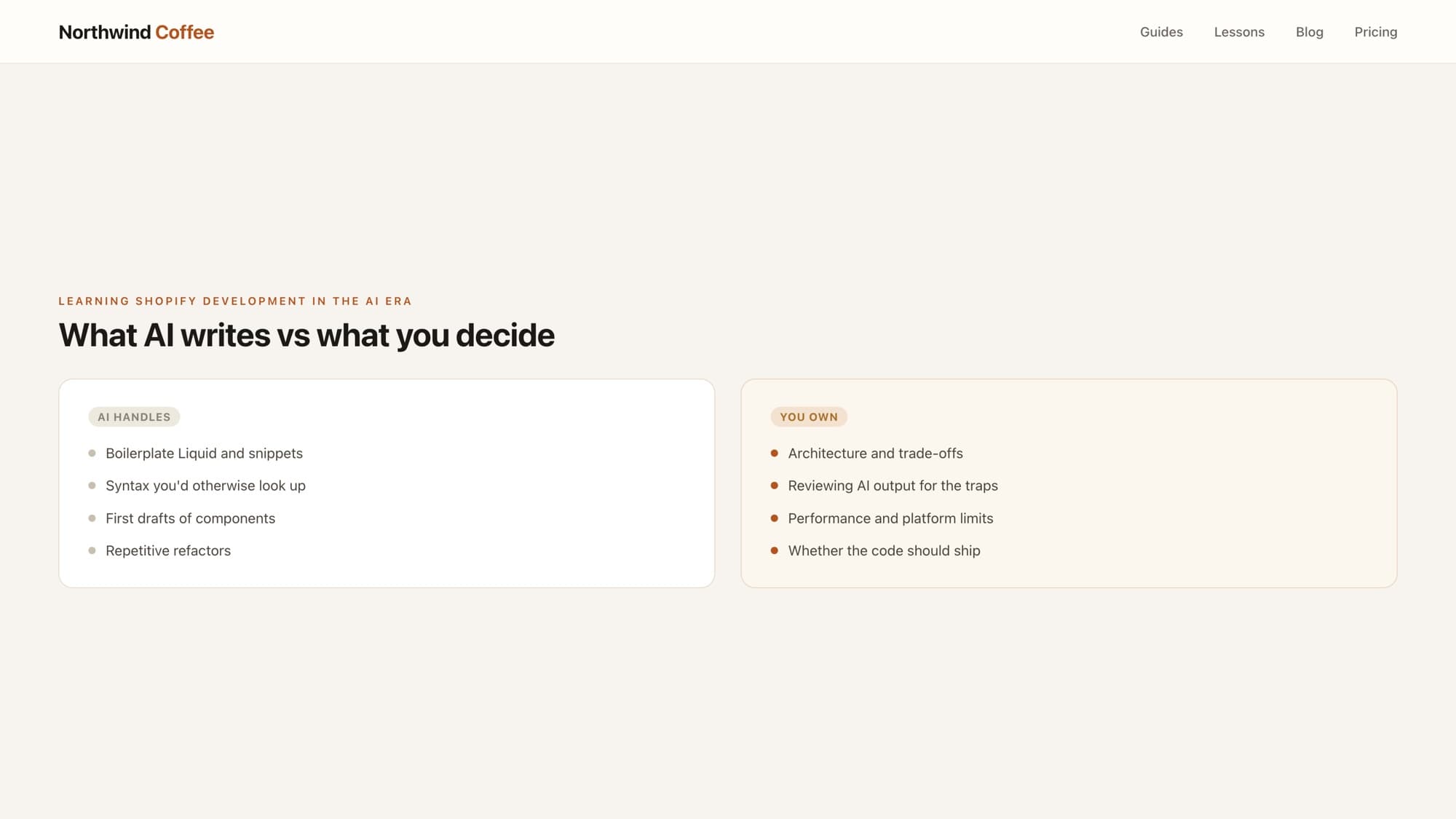
Here is the part that matters most, and the reason this site exists. Grounding the model in real docs removes a whole class of errors (invented filters, wrong property paths, malformed queries). It does not remove the errors that come from not understanding the platform's constraints. Those are the expensive ones, and they pass validation cleanly because they are syntactically correct.
- Schema that validates but breaks on push. A setting with
"default": ""passes a code-block validator and is rejected by the liveshopify theme push. The AI does not feel that pain; you do. - Wrong primitive for the job. It will happily store structured product data by parsing the title, or build a shadow cart in localStorage, when the platform-native answer is a metafield or a line item property.
- Performance and architecture. Generated code can be correct and still ship an N+1 loop, a render-blocking external stylesheet, or a monolithic section where composition was the right call.
- Stale or version-mismatched patterns. A model can mix an older theme idiom with a current API surface in a way that looks coherent and is not.
This is the through-line of building on Shopify in 2026: the AI writes the code; your job is judgment. The Toolkit makes the AI a far better drafter. It does not make it the reviewer. Knowing that a query validates is not the same as knowing it is the right query for this store at this scale, and that gap is exactly where a professional Shopify developer earns the title.
Use it like a senior would
Let the toolkit draft and validate. Then read every diff as if a junior wrote it: check the data model, the platform constraints, the performance characteristics, and whether a simpler native primitive exists. Speed from the tool, correctness from you.
Learn this properly · free lesson
Code review: is this AI-generated section ready to ship?
Practise the skill the toolkit can't do for you: reviewing AI-generated Liquid for the bugs that pass validation but fail in production. Free lesson.
Try this lesson — freeThe AI Toolkit is the clearest signal yet of where this is going. The platform is meeting AI assistants halfway, handing them the real docs and schemas so they stop guessing. That is genuinely good for developers. It just relocates the value. For the wider context, see our developer guide to the Spring '26 Edition, and for the bigger question of why the craft still matters when AI writes the syntax, read do you still need to learn Shopify development in the AI era.
Frequently asked questions
What is the Shopify AI Toolkit?
It is an open-source (MIT-licensed) plugin that connects AI coding assistants to the Shopify platform. It bundles a set of Shopify skills with the Shopify CLI, giving your editor direct access to Shopify's reference docs, API schemas, code validation, live store data, and admin tools without leaving the editor. It went generally available in June 2026 as part of the Spring '26 Edition.
Does it work with Cursor, Claude Code, and VS Code?
Yes. One plugin supports Cursor, Claude Code, Codex, VS Code, Gemini CLI, and more. In Claude Code you install it as a plugin; in Cursor you add it from the marketplace; the other editors each have their own entry point. Check the official AI Toolkit docs on shopify.dev for the current install command for your editor.
What is a Shopify skill, and how does it relate to MCP?
A skill is a focused set of instructions that tells a general-purpose AI agent how to interact with a specific part of Shopify (themes, the Admin GraphQL API, Functions, Hydrogen, and so on), plus scripts for documentation search and code validation. MCP (Model Context Protocol) is the open standard for giving an AI structured access to external systems. The Toolkit packages Shopify's Dev MCP access as a one-command plugin and layers the skills and the CLI on top.
Will AI replace Shopify developers?
No. Tools like the AI Toolkit make the AI a much stronger drafter: it stops inventing fake filters and uses real data structures. But generated code can be syntactically correct and still wrong for the platform: schema that breaks on push, the wrong data primitive, an N+1 loop, a monolithic section. Catching those is judgment, and judgment is the job now. The developers who thrive are the ones who can review and override AI output, not the ones who can type Liquid fast.
Start free
Ready to become a Shopify developer?
You just read how it works. Now write it yourself: real tickets from a live store, in an editor where the storefront updates as you type. Module 1 is free, no card.
Free · No credit card · Your first win in minutes
About the author
Bas Lefeber, Founder, learnshopify.dev
Bas builds learnshopify.dev, where developers learn production-grade Shopify theme development against a live storefront. He writes about Liquid, theme architecture, and the parts of the job that still matter now that AI writes the code.
Keep going in the curriculum